
What is FordPass Connect?

Anyone who has purchased a Ford that includes the SYNC 3 or SYNC 4 systems has the advantage of being able to access services through FordPass Connect. The services offered are widespread, and some are free to use when you download the FordPass app to your smartphone. Features for all types of Ford models are available, with different options for gas-powered models, hybrids, and fully electric vehicles. As a participating dealer in the FordPass program, we thought it would be useful to have a guide to features available to customers who own compatible Ford models. Before you search “Ford dealer near me” to visit the dealership for help, we wanted to offer customers an easy way to learn more about how to use FordPass Connect.
Complimentary Features
Several convenient features are available for free when you activate the FordPass app on your smartphone. Once you download the app and activate your account, you will be able to use the app to lock or unlock your vehicle, remotely start using your phone, or check on your vehicle’s current status from anywhere. Though you may already have a key fob that allows you to start or unlock your vehicle remotely, the FordPass app allows you to unlock your vehicle from anywhere, even across the globe. As long as you have phone service, you can use these services to access your vehicle.
Imagine the advantages of being able to start your car while you shop on a hot day, so your car is cool when you leave the store, or being able to lock your vehicle from a plane when you realize you left it unlocked in the parking lot. If you forgot where you parked, easily locate your vehicle through the app. It’s also possible to check fuel levels, tire pressure, and whether or not your vehicle is due for maintenance. Your owner’s manual is available on the FordPass app, too, so you can look up details about your vehicle whenever you need them. Scheduling maintenance here at our service center is also easy. Owners of electric vehicles or hybrids have access to checking their driving range, locating charging stations, and even using their phone as a key.

Roadside Assistance
When you get into a pinch, FordPass gives you access to roadside assistance, a service provided during the first five years or 60,000 miles of your Ford warranty. Roadside assistance is for those times when you get a flat tire, your vehicle breaks down and you need to be towed, or when you get locked out of your vehicle. Use the FordPass app to contact Ford Roadside Assistance, and be prepared to provide your VIN, license plate number, vehicle make and model, and the location of your vehicle. Ford will send help to come to your aid, and you can contact them 24 hours a day, seven days a week. Roadside assistance can lend a hand when you run out of fuel; Ford will send someone with up to five gallons of gas so you can drive to a nearby station. If your vehicle’s battery dies, you can get a jumpstart or get it towed for service.
Track Payments
If you financed through Ford Credit, you can check on your monthly bill using the FordPass app so you can easily stay on time with loan payments. It’s simple to look up your payment history, find out when your next payment is due, or make a payment from your phone. You will be guided through the steps for setting up secure payments so you can take charge of when and how you take care of paying down your auto loan. Every payment is recorded on the app, so you can see the status of your payment history anytime, and you can see how much time is left to complete the payment schedule.
WiFi Hotspot
Eligible vehicles have the advantage of utilizing an in-vehicle WiFi hotspot, so you don’t have to use all your smartphone data while you’re driving. Before activating a hotspot in your vehicle, check to see if it is eligible. Look for the window sticker that indicates your vehicle is equipped with FordPass Connect, or check under “Settings” in your vehicle’s SYNC menu. Once you determine eligibility, activating the hotspot will give you support for up to ten devices to be used at once, and service reaches up to 50 feet away from your vehicle.
If you choose, you can activate the WarnerMedia RIDE app to watch movies or TV shows on your phone while you ride in the car, streamed through the in-vehicle WiFi system. Ford offers customers who activate their hotspot a free three-month trial of WiFi service to decide if you like it enough to pay for a monthly subscription. If you choose to continue service, you can purchase a data plan from AT&T. Details for signing up for the subscription and activating your hotspot are located in the vehicle menu accessed through the FordPass app on your phone. Search for the WiFi icon, and then select the “Manage My Account” button to set up service.
Reward Points
Like rewards you gain through using a credit card, Ford offers its customers a reward program with points that can be earned through purchases made at participating Ford dealerships, including here at Pearson Ford. Points are earned every time you buy an accessory, have your vehicle serviced, or purchase a new vehicle. You can even count a leased vehicle toward your points program, and points earned are tracked through the FordPass app. Membership is free when you download and activate the FordPass app or login to FordPassRewards.com to open an account. Registering is required if you wish to earn and spend points.
Customers can acquire points for as long as they wish and can choose how and when they want to spend them. Anytime you wish to redeem points, simply let us know that you wish to use your reward points for a purchase or service. You can even use points toward the purchase of a new or leased vehicle, and the app also allows you to save points for a down payment. Memberships come in three tiers: Bronze, Silver, and Blue. Each membership level comes with increasing benefits, and membership tiers are achieved through actions Ford calls “Milestones.” Participating customers can gain Milestones by having their vehicle serviced, using a FordPass Visa card, or spending your reward points, among other activities.
How to Activate FordPass Connect
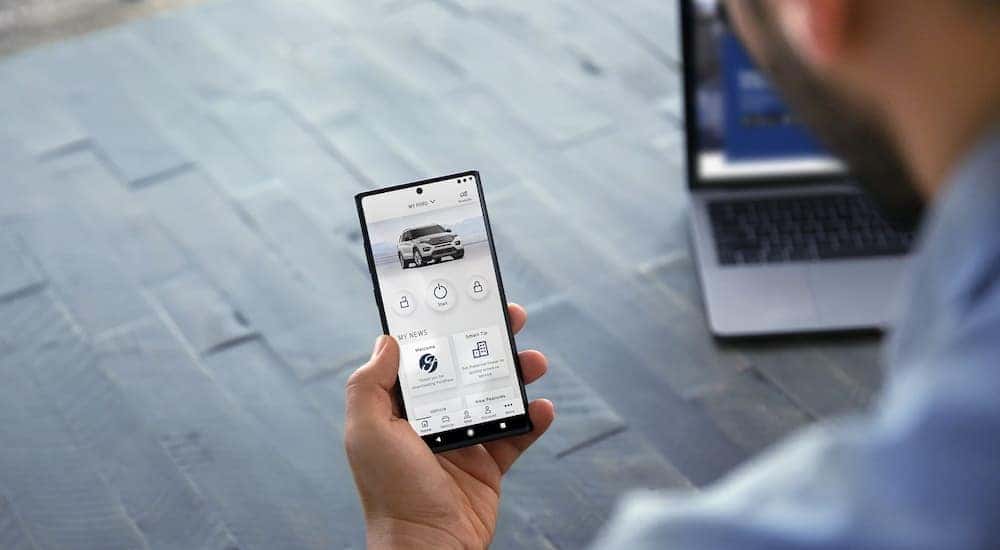
If you have determined that your vehicle is equipped with FordPass Connect, you can begin by downloading the app for your phone. Go to either Google Play or the Apple App Store, and search for the FordPass Connect app. It’s free to download. After downloading, create a login and password to start your account, or use your current Ford account login to access an existing online account. Follow the directions on the app to add your vehicle to the account, then activate the services you wish to use. You can have more than one vehicle on an account, and all your Ford vehicles can be managed through the app.
By using the “Vehicle Details” option in the app menu, you can choose which features you wish to activate. Once you select the features, the app will tell you the activation is pending. To begin using the features you selected, you must then start your vehicle and allow the SYNC system in your infotainment screen to cycle through updates. This can take up to 90 seconds to complete. You should see a prompt on the infotainment screen once it receives the update, and then you can select “Allow” to give FordPass access to sharing information between your vehicle and your phone. After you set up the program, you can enjoy the benefits of all the convenient features that come from being a Ford owner!
0 comment(s) so far on What is FordPass Connect?